

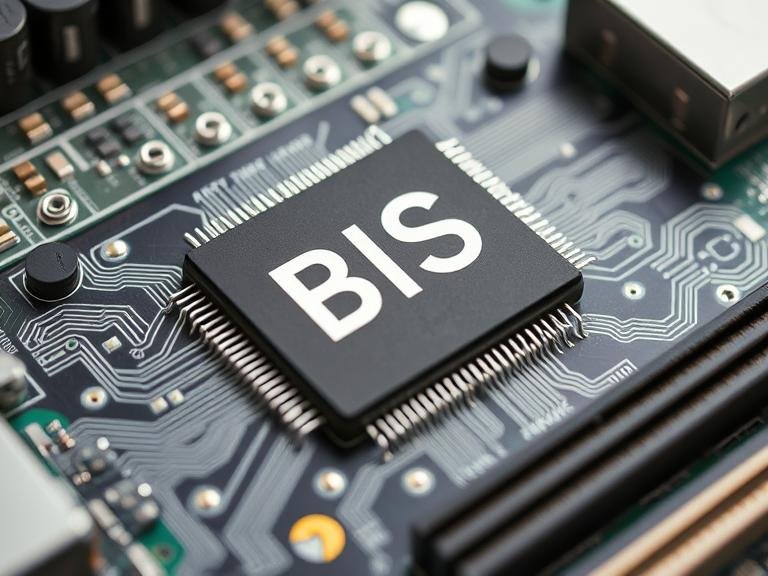
The Basic Input Output System, commonly known as BIOS, serves as the fundamental bridge between your computer’s hardware and software. This essential component operates behind the scenes every time you power on your device, orchestrating the complex dance of initialization that brings your computer to life. Understanding BIOS is crucial for anyone seeking to comprehend how modern computers function at their most basic level.
Table of Contents
What is the Basic Input Output System?
The Basic Input Output System is a firmware program stored on a small memory chip on your computer’s motherboard. This low-level software acts as the intermediary between your computer’s hardware components and the operating system. When you press the power button on your computer, BIOS is the first program that runs, executing a series of critical startup procedures before handing control over to your operating system.
Unlike regular software applications that reside on your hard drive, BIOS is stored in non-volatile memory, typically in a chip called EEPROM (Electrically Erasable Programmable Read-Only Memory) or flash memory. This ensures that the Basic Input Output System remains intact even when your computer is powered off, ready to spring into action the moment electricity flows through your system again.
The Evolution of Basic Input Output System
The concept of BIOS originated in the 1970s with CP/M operating systems, but it gained widespread recognition with the introduction of IBM-compatible personal computers in the 1980s. The original Basic Input Output System was relatively simple, designed to handle basic hardware initialization and provide fundamental input/output services.
As computer technology advanced, so did the Basic Input Output System. Modern BIOS implementations have evolved significantly from their predecessors, incorporating support for newer hardware standards, improved security features, and enhanced user interfaces. Today’s systems often use UEFI (Unified Extensible Firmware Interface) as a more advanced replacement for traditional BIOS, though many people still refer to it colloquially as BIOS.
Core Functions of the Basic Input Output System
The Basic Input Output System performs several critical functions that are essential for proper computer operation. During the Power-On Self-Test (POST) phase, BIOS systematically checks all major hardware components to ensure they are functioning correctly. This process includes testing memory, verifying processor functionality, and confirming that essential peripherals are responding properly.
Hardware initialization represents another crucial responsibility of the Basic Input Output System. BIOS configures and prepares various hardware components for operation, setting up communication pathways between the processor, memory, storage devices, and input/output peripherals. This initialization process ensures that all components can communicate effectively once the operating system takes control.
The Basic Input Output System also manages the boot process, determining which storage device contains the operating system and initiating the loading sequence. BIOS maintains a boot priority order, checking devices in sequence until it finds a bootable operating system. This flexibility allows users to boot from various sources, including hard drives, optical discs, USB drives, or network locations.
BIOS Settings and Configuration
Accessing the Basic Input Output System settings typically requires pressing specific keys during the initial startup sequence, such as F2, F12, Delete, or Esc, depending on your computer manufacturer. Once inside the BIOS setup utility, users can modify various system parameters that control how their computer operates.
Hardware configuration options within the Basic Input Output System allow users to enable or disable specific components, adjust memory timings, configure storage interfaces, and manage power consumption settings. These options provide fine-tuned control over system behavior, enabling optimization for specific use cases or troubleshooting problematic hardware interactions.
Security features have become increasingly important in modern Basic Input Output System implementations. Many contemporary BIOS versions include options for setting supervisor and user passwords, enabling secure boot protocols, and configuring trusted platform module (TPM) settings. These security enhancements help protect systems from unauthorized access and malicious software attacks.
Modern Developments and UEFI
The transition from traditional Basic Input Output System to UEFI represents a significant advancement in firmware technology. UEFI maintains backward compatibility with BIOS while offering numerous improvements, including faster boot times, support for larger storage devices, enhanced security features, and graphical user interfaces that support mouse input.
UEFI-based systems still perform the fundamental functions associated with the Basic Input Output System but do so more efficiently and with greater flexibility. The improved architecture supports modern hardware standards, including GPT (GUID Partition Table) partitioning schemes that can handle storage devices larger than 2TB, which traditional BIOS cannot accommodate.
Troubleshooting and Maintenance
Understanding the Basic Input Output System proves invaluable when troubleshooting computer problems. Many hardware-related issues can be diagnosed and resolved through BIOS settings adjustments. Common problems such as boot failures, hardware recognition issues, and performance problems often have solutions within the BIOS configuration options.
Updating the Basic Input Output System, commonly called “flashing the BIOS,” can resolve compatibility issues, add support for newer hardware, and fix known bugs. However, this process requires careful attention, as an interrupted or failed BIOS update can render a computer inoperable. Most modern systems include recovery mechanisms to mitigate these risks, but proper preparation and execution remain essential.
Impact on System Performance
The Basic Input Output System significantly influences overall system performance through its hardware configuration options. Memory timing adjustments, processor frequency settings, and power management configurations can dramatically affect system speed and efficiency. Enthusiasts and professionals often spend considerable time optimizing BIOS settings to extract maximum performance from their hardware.
Power management features within the Basic Input Output System enable sophisticated control over energy consumption. These settings can extend battery life in portable devices, reduce electricity costs in desktop systems, and minimize heat generation in high-performance configurations. Modern BIOS implementations include multiple power profiles that automatically adjust numerous parameters to balance performance and energy efficiency.
Future of Basic Input Output System Technology
The Basic Input Output System continues evolving to meet the demands of advancing computer technology. Emerging trends include enhanced security implementations, improved support for new storage technologies, better integration with cloud-based management systems, and more intuitive user interfaces.
Artificial intelligence and machine learning capabilities are beginning to influence Basic Input Output System development, with some implementations incorporating intelligent optimization features that automatically adjust settings based on usage patterns and hardware characteristics. These advancements promise to make the Basic Input Output System more user-friendly while maintaining the deep configurability that power users require.
Frequently Asked Questions
Q: Can I damage my computer by changing BIOS settings? A: While most BIOS settings are safe to modify, certain advanced options like voltage adjustments or extreme overclocking can potentially damage hardware if set incorrectly. Always research settings before making changes and consider noting original values for easy restoration.
Q: How do I know if my computer uses traditional BIOS or UEFI? A: Most computers manufactured after 2012 use UEFI, though they may operate in legacy BIOS compatibility mode. You can check by accessing the firmware interface and looking for graphical elements, mouse support, or UEFI-specific terminology.
Q: Why does my computer sometimes fail to recognize new hardware? A: The Basic Input Output System may need time to detect new hardware during POST, or specific settings might need adjustment. Try powering off completely, waiting a few seconds, then restarting. If problems persist, check BIOS settings for relevant configuration options.
Q: Is it safe to update my BIOS? A: BIOS updates can resolve issues and add features, but they carry risks if interrupted or applied incorrectly. Only update when necessary to fix specific problems or add required functionality, ensure stable power supply during the process, and follow manufacturer instructions precisely.
Q: What should I do if I forget my BIOS password? A: Most motherboards include jumpers or removable batteries that can reset BIOS settings, including passwords. Consult your motherboard manual for specific instructions, as procedures vary between manufacturers and models.