

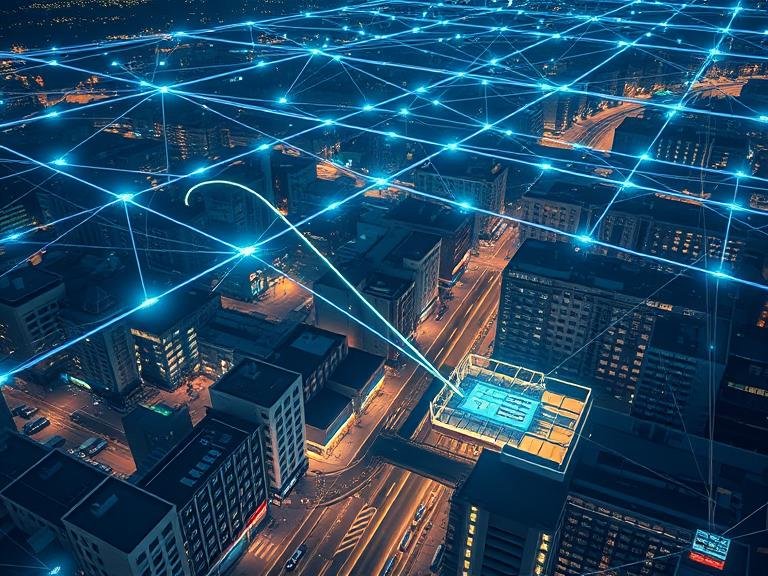
In an increasingly connected world, our reliance on stable, robust, and far-reaching internet connectivity has never been greater. From smart homes and bustling offices to sprawling urban centers and remote industrial sites, the demand for seamless coverage is a constant challenge. Traditional wireless networks, often built around a single router, have inherent limitations in range and resilience. This is where a powerful and flexible technology emerges: the Wireless Mesh Network, or WMN. But what is WMN, exactly? This article delves into the architecture, benefits, applications, and considerations of this transformative networking approach.
Table of Contents
Beyond the Router: The Core Concept of a WMN
At its simplest, a Wireless Mesh Network (WMN) is a communications network made up of radio nodes organized in a mesh topology. Unlike a traditional star-topology network where every device (your laptop, phone, etc.) connects directly to a central access point (your router), a mesh network is decentralized.
In a WMN, each node (often called a “mesh node” or “mesh station”) not only captures and disseminates its own data but also serves as a relay for other nodes. This means that each node cooperates to distribute data across the network. If one node can no longer operate, the rest of the network can dynamically reroute data through other pathways, ensuring the network remains operational.
Think of it like a team of people passing a ball across a field. In a traditional network, one person (the router) must throw the ball to every other person individually. If that one person sits down, the game is over. In a mesh network, everyone can throw the ball to everyone else. If one person sits down, the others simply keep passing the ball around them, ensuring it still reaches its destination.
The Architecture: How Wireless Mesh Networks Work
A typical WMN consists of three primary components:
- Mesh Clients: These are the end-user devices such as laptops, smartphones, IoT sensors, and tablets. They are equipped with wireless network adapters and can connect directly to mesh routers.
- Mesh Routers: These are the backbone of the network. They have additional routing functions to support mesh networking. Unlike conventional routers, mesh routers can forward traffic on behalf of other nodes, extending the network’s range far beyond what a single device could achieve. They form the mesh backhaul, the core communication pathway between nodes.
- Gateways: Also known as mesh portals, these are specific mesh routers that have a dedicated connection to the internet, such as a fiber or cable modem. They serve as the bridge between the mesh network and the wider internet. A large WMN may have multiple gateways for increased bandwidth and redundancy.
The magic of a WMN lies in its intelligent routing protocols. When data is sent from a client, it doesn’t follow a predetermined path. Instead, the nodes constantly communicate with each other, using algorithms to identify the most efficient, least congested path to a gateway or another client. This dynamic, self-healing, and self-configuring nature is what sets WMNs apart.
Key Advantages: Why Choose a Mesh Network?
The unique architecture of WMNs confers several significant advantages:
- Enhanced Reliability and Self-Healing: The decentralized nature makes WMNs incredibly resilient. If a single node fails or a connection is blocked, the network automatically recalculates and reroutes data through the next best available path. This is crucial for mission-critical applications where downtime is not an option.
- Extended Coverage: By adding more nodes, you can easily extend the network’s coverage to eliminate dead zones. This is far more effective and manageable than trying to extend a traditional network with range extenders, which often create separate, weaker networks.
- High Scalability: Adding new devices to the network is simple. New nodes can be integrated seamlessly, and the network automatically recognizes and incorporates them into the existing mesh, expanding its overall capacity and coverage with minimal manual configuration.
- Lower Infrastructure Costs: For covering large areas like a city or a campus, deploying a mesh network can be more cost-effective than laying miles of Ethernet cable or installing numerous individual internet connections. It leverages wireless links to create a widespread network with only a few physical connections to the internet.
- Integration with Existing Systems: WMNs can be integrated with other networks like the internet, cellular, Wi-Fi, and sensor networks, providing a flexible framework for diverse applications.
Real-World Applications: Where Do We See WMNs?
WMNs are not just a theoretical concept; they are deployed in numerous practical scenarios:
- Community and Municipal Networks: Many cities deploy WMNs to provide public Wi-Fi coverage across parks, downtown areas, and even entire municipalities. They offer a cost-effective way to bridge the digital divide.
- Disaster Response and Military Operations: In emergency situations where existing communication infrastructure is destroyed, WMNs can be rapidly deployed to establish critical communication lines for first responders and military personnel. Their self-forming and self-healing capabilities are invaluable.
- Smart Home Integration: Popular consumer mesh systems (like Google Nest Wifi, Eero, etc.) have brought this technology into homes. They solve the problem of Wi-Fi dead zones by placing multiple nodes around the house that work together as a single, seamless network.
- Industrial IoT and Automation: Factories, warehouses, and agricultural sites use WMNs to connect a vast array of sensors, robots, and monitoring equipment across large, complex environments where wiring is impractical.
- Healthcare and Telemedicine: Hospitals can use secure WMNs to manage mobile equipment, track assets, and enable reliable communication for staff across large campuses.
Considerations and Challenges
While powerful, WMNs are not a perfect solution for every scenario. Some challenges include:
- Latency: As data hops from one node to another, a slight delay (latency) can be introduced. For most web browsing and streaming, this is negligible, but it could be a concern for real-time applications like competitive online gaming.
- Initial Cost per Node: While the overall infrastructure cost can be lower, the individual mesh nodes are typically more expensive than traditional routers or extenders.
- Complexity in Management: While consumer systems are simple, managing a large-scale, custom WMN requires expertise in network administration and routing protocols.
- Security: Every wireless node is a potential entry point for attackers. A robust WMN requires strong, consistent encryption across all nodes to ensure the entire network’s security.
Conclusion
So, what is WMN? It is far more than just a buzzword for better Wi-Fi. Wireless Mesh Networking represents a fundamental shift in how we conceive of and build wireless communication systems. By moving away from a fragile, centralized model to a resilient, cooperative, and decentralized one, WMNs offer a powerful solution for providing reliable, scalable, and extensive wireless coverage. As the number of connected devices in our world continues to explode, the intelligent, self-forming nature of mesh technology will undoubtedly play a pivotal role in building the robust networks of the future.
Informational FAQs
Q: Is a mesh network the same as using a Wi-Fi range extender?
A: No, they are different. A range extender simply rebroadcasts the existing Wi-Fi signal, often creating a separate network with a different name (SSID). A mesh network creates a single, seamless network where all nodes work collaboratively under one system name, allowing for smooth roaming without manually switching networks.
Q: Do all nodes in a mesh network need to be plugged into a power source?
A: In a typical home mesh system, yes, each node requires power. However, in large-scale or industrial WMNs, nodes can be designed to be solar-powered or battery-operated for deployment in remote areas.
Q: Can I build my own mesh network without buying a commercial system?
A: Yes, it is possible for advanced users using open-source firmware like OpenWrt on compatible routers and software like B.A.T.M.A.N. (Better Approach To Mobile Adhoc Networking). However, this requires significant technical knowledge compared to plug-and-play consumer systems.
Q: Does adding more nodes to a mesh network always make it faster?
A: Not necessarily. While adding nodes extends coverage, each “hop” between nodes can slightly increase latency. Furthermore, if all nodes are communicating on the same wireless channel, it can lead to congestion. Modern systems often use dedicated backhaul radios to mitigate this.
Q: Are mesh networks secure?
A: Reputable consumer mesh systems use strong, modern encryption (like WPA3) and are generally very secure. The key is to ensure you use a strong, unique password and keep the system’s firmware updated. For enterprise-level WMNs, security requires more sophisticated planning and management.